Ad Extensions (Assets) in Google Ads 2026: Lift CTR and Ad Rank Without Raising Bids
Ad extensions — now called assets — are the most underrated free lever in Google Ads. They expand your ad, give the user more reasons to click and raise your expected CTR, which lifts Ad Rank — all without raising your bid. In 2026, working assets well often beats yet another budget increase. Here is the white-hat guide to which assets to use and how to test them.
Why assets improve performance
Ad Rank depends not only on your bid but also on expected CTR and relevance. Assets feed the first directly: a larger, richer ad is more visible and earns more clicks at the same position. Some assets also add a useful action — call, open the map, submit a form. It is free: you pay per click, not per asset impression.
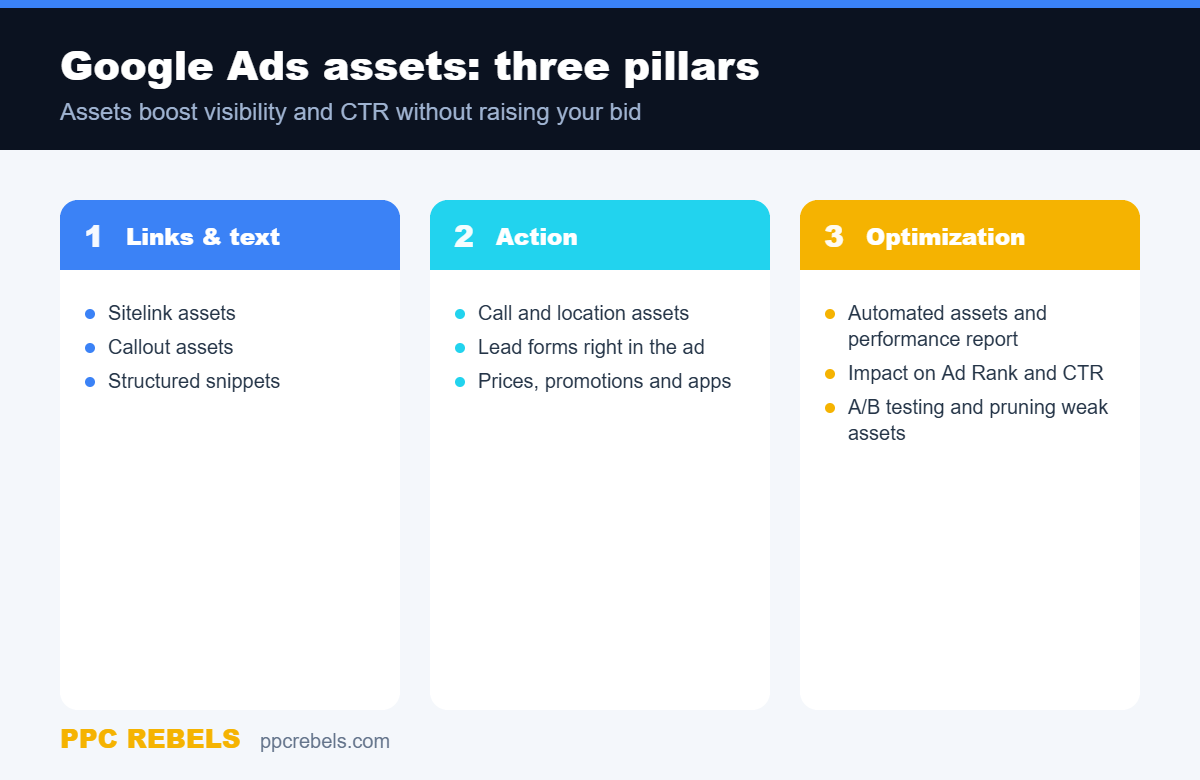
Google Ads assets: three pillars
It helps to sort all assets into three groups — information, action and optimization. Below is the schema we use to assemble an asset set for a new campaign.
Links and text
Sitelink assets point to key sections: categories, terms, case studies. Callout assets are short benefits without links: “free shipping”, “24/7 support”. Structured snippets list your product or service types. Together they make the ad more informative and relevant to the query — and relevance ties back to your creative and testing discipline.
Action assets
Call, location and lead-form assets turn an impression into a concrete action. Local businesses need location and call assets; service businesses need forms. Add prices and promotions to filter out low-intent clicks and attract a warmer audience.
How to build a strong asset set
- At least 4 sitelinks, 4 callouts and 2 structured snippets per campaign.
- Unique assets per ad theme — do not clone one set across the whole account.
- Align assets with your account structure — see our guide to structure and scaling.
- Check the asset performance report and switch off weak performers.
Automated assets and quality
Google can add automated assets (dynamic sitelinks, callouts). Leave them on, but supervise: auto text sometimes clashes with your positioning. Remember assets improve expected CTR — a component that also shapes cost per click in the auction, an idea we unpack in our overview of bidding strategies. In Performance Max, assets become the building blocks of the ad, so their quality matters even more there.
Common mistakes
- Assets added just to tick a box, unrelated to the offer.
- One asset set across the whole account, ignoring ad-group themes.
- Sitelinks point to a generic homepage instead of relevant sections.
- Nobody reads the asset report, so weak variants are never turned off.
FAQ
Do assets cost extra?
No. Showing assets is free; you pay per click as usual. That is why assets are a way to raise CTR and visibility without raising your bid.
How many assets should I add?
Add more than will show: the system picks the best combinations per query. A good baseline is 4+ sitelinks, 4+ callouts and 2+ structured snippets per campaign.
Do assets guarantee an extension will show?
No. Whether an asset shows depends on Ad Rank and query context. Higher Ad Rank and relevant assets increase the chance the extension appears.
Assets are a white-hat lever: you are not bending the rules, you are fully using the ad format you already pay for.