Google Ads Editor: Bulk Operations to Scale Your Account in 2026
Once an account grows into dozens of campaigns and thousands of keywords, editing in the web interface becomes a bottleneck. Google Ads Editor is a free desktop app for making bulk changes offline, checking them for errors, and publishing in a single click. In 2026 it remains the fastest white-hat way to scale account management without losing control over quality.
What bulk operations in Google Ads Editor really are
Bulk operations apply the same change to hundreds of elements at once: bids, final URLs, tracking templates, ad headlines or keywords. You work with the entire account structure in one window, then sync your edits to Google. Before you run bulk edits, tidy up your account structure for scale — a logical hierarchy makes bulk operations predictable and safe.
Offline editing with zero risk to live campaigns
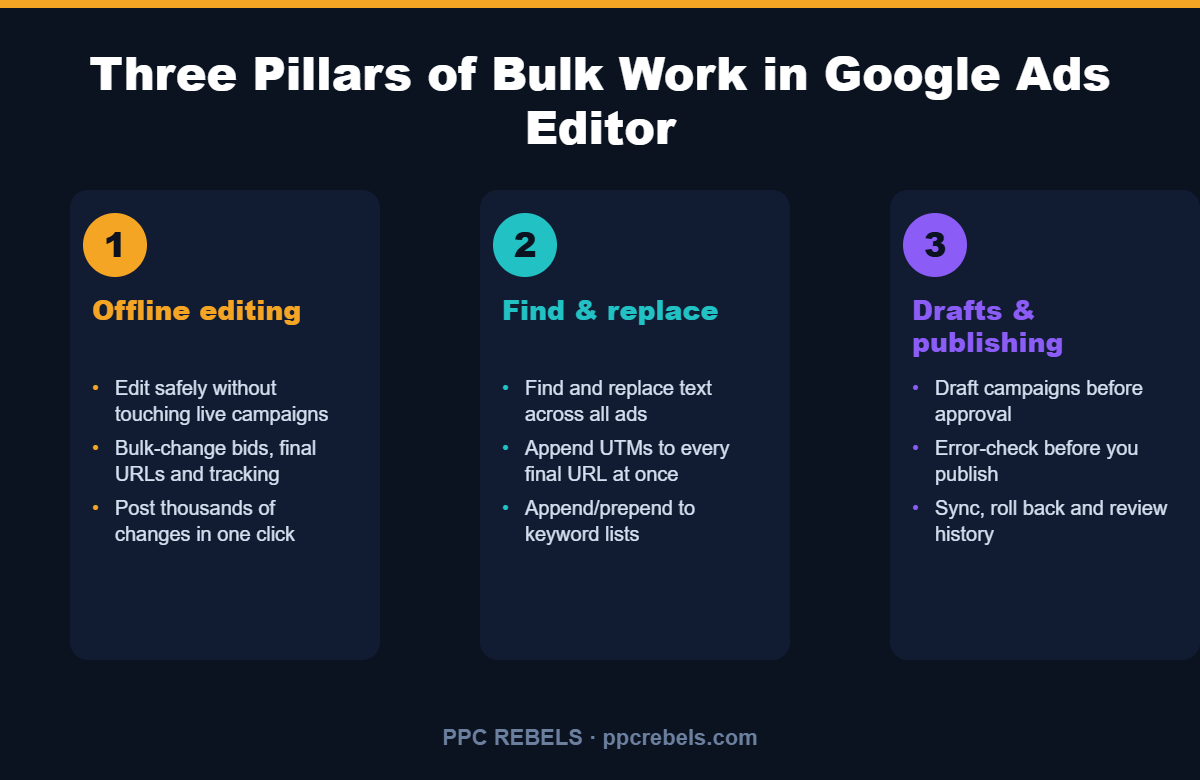
Every change lives locally first. You can rewrite bids across hundreds of ad groups or append UTM tags, and nothing reaches your live campaigns until you hit Publish. A draft can always be discarded, which makes experimentation safe.
Common bulk edits
- Change bids by rule (+15% on all brand-campaign bids)
- Swap final URLs when landing pages move to a new domain
- Mass-add and update tracking templates
- Pause or enable ad groups by a performance filter
Find and replace: cut routine work dramatically
Find and replace works across the whole account or a selected slice: fix a typo in a thousand ads, add a prefix to keyword lists via append/prepend, or update tracking parameters everywhere at once. The Change Bids tool raises, lowers and rounds bids by a defined logic without manual entry.
Drafts, error checking and publishing
Before publishing, Editor runs every change through validation and flags errors: character-limit overflows, conflicting keywords, invalid URLs. It is a cheap in-the-moment version of a regular account audit, and the change history lets you roll back.
How to fit Editor into your workflow
Move repetitive logic into Google Ads scripts, and use Editor for one-off structural edits and new campaign builds. Then validate the new ad variations you create with responsive search ad A/B testing so you only scale what actually converts.
Frequently asked questions
Is Google Ads Editor free?
Yes. It is Google’s official free application for Windows and macOS. You only pay for the ad traffic itself.
Do bulk changes go live immediately?
No. All edits are stored locally as a draft and apply only after you click Publish, so live campaigns stay untouched until then.
Can I undo a wrong bulk edit?
Yes. Editor keeps a change history and shows an error list before publishing, so most problems are visible in advance.