Google Ads verification in 2026: a step-by-step advertiser guide
In short: Google Ads advertiser verification confirms who is behind an account and who pays for the ads. You complete it under Admin > Policy > Account by answering questions and finishing tasks, such as an ID upload, company documents, a phone code or a payment check. Review usually takes up to 5 business days, rarely up to 30. If Google gives you a deadline, it cannot be extended, and the account is paused when it passes. This Google Ads verification guide walks through every stage so you can prepare before you scale spend.
This Google Ads verification guide is written for media buyers, in-house teams and agencies who either got a verification notice or want to verify proactively. Every requirement below comes from Google’s own Advertising Policies Help pages as of 22 November 2026. Where we add our own practice, we say so. We do not cover ways to avoid or game verification, because there are none that keep an account healthy.
Contents
- What Google Ads verification is
- Verification in 2026: the numbers
- Why Google asks you to verify
- Verification tasks by account type
- Step-by-step: how to complete verification
- Timelines and deadlines
- Common mistakes that cause rejections
- Case study (illustrative)
- FAQ
What Google Ads verification is
Advertiser verification is Google’s identity program for advertisers. It confirms the legal name and location of the person or organization behind an account. After you pass, your name and location appear in ad disclosures, in My Ad Center and in the Ads Transparency Center. In other words, users can see who paid for an ad.
Verification is not a one-off form. Instead, it is a set of tasks that depends on your payments profile type (individual or organization), your billing setup and what you advertise. Only an admin of the Google Ads account can complete the tasks. Moreover, some tasks, such as the video selfie, can be done only by an admin of the payments profile.
Importantly, verification is separate from industry certifications. Gambling, financial services, healthcare and several other categories need extra approvals on top of identity checks. So a verified account can still be unable to run ads in a regulated vertical.
Google Ads verification in 2026: the numbers
Verification sits inside a much larger enforcement system. According to the Google Ads Safety Report 2025, Google blocked or removed more than 8.3 billion ads and suspended 24.9 million advertiser accounts in 2025. The report also says more than 99% of policy-violating ads were caught before they served, and that incorrect advertiser suspensions fell by 80%.
The verification process itself has fixed numbers that are worth remembering:
| Item | What Google states |
|---|---|
| Typical review time | Up to 5 business days per task |
| Rare cases | As long as 30 days |
| Deadline extension | Not possible |
| Payment method check | Temporary charge up to $1.95, refunded within 14 days |
| Phone code attempts | 5, then an ID upload instead |
| SSN attempts (US only) | 3, then an ID upload instead |
| D-U-N-S match attempts | 3, then company documents instead |
Sources: Tasks required for Advertiser verification and Timelines for Advertiser verification.
Why Google asks you to verify: the triggers
Google may request verification at any point. However, its help pages list typical triggers. For example, Google mentions cross-geo targeting, advertising on brand-related queries and business categories prone to abuse, such as travel, customer or technical support and financial services. In these cases, campaigns can be limited on certain restricted queries until you finish verification.
You can also verify without being asked. Google lists three benefits: proactive verification, access to more ad formats and features (such as your business name and logo in Search ads), and the removal of some account limits. Without a deadline, ads keep running while you verify.
Finally, verification is a gate for appeals. If your account is suspended, the appeal form opens only after you complete advertiser verification. For that path, see our guide to a suspended Google Ads account.
Verification tasks by account type
The tasks you see depend on your setup. Below is a summary of the Google Ads verification guide requirements for each account type.
Tasks for every account
- Questions about your organization. You state the organization type and who pays for the ads. If you manage ads for a client, answer “Yes” to “Is your organization an agency?”. Otherwise, Google warns, the account may be paused or suspended.
- Business operations questions. Some advertisers must describe their organization, products, ads and relationships with other companies. Google notes that most advertisers won’t see this task.
- EU political ads declaration. You confirm whether you plan to run EU political ads. If you answer “Yes”, those campaigns can’t serve in the EU.
Billing tasks
- Confirm your payment method. Google makes a small temporary charge; the last 6 digits of it form your code.
- Make a payment of an outstanding balance or a set amount.
- Who pays for your ads. If the payer differs from the verified name, the disclosure shows “Ads funded by”.
Billing tasks go smoother when your payments setup is clean. Our article on Google Ads prepay and manual payments explains how payments settle.
Individual accounts
- Personal info and a government-issued photo ID.
- A phone number with the area code of your payments profile country.
- US only: Social Security number.
- In some cases, a video selfie with your ID.
Tasks for organizations
- Organization info, optionally with a D-U-N-S number.
- Registration documents that match your legal name and location.
- Affiliation confirmation via an SMS or organization email code.
Agency accounts and clients
Agencies verify themselves and then provide client info. They can complete the client task directly or send the client a link. As a result, every client payments profile must be verified too. If you work through a manager account, read our MCC operations guide and the piece on agency account access.
Google Ads verification guide: step by step
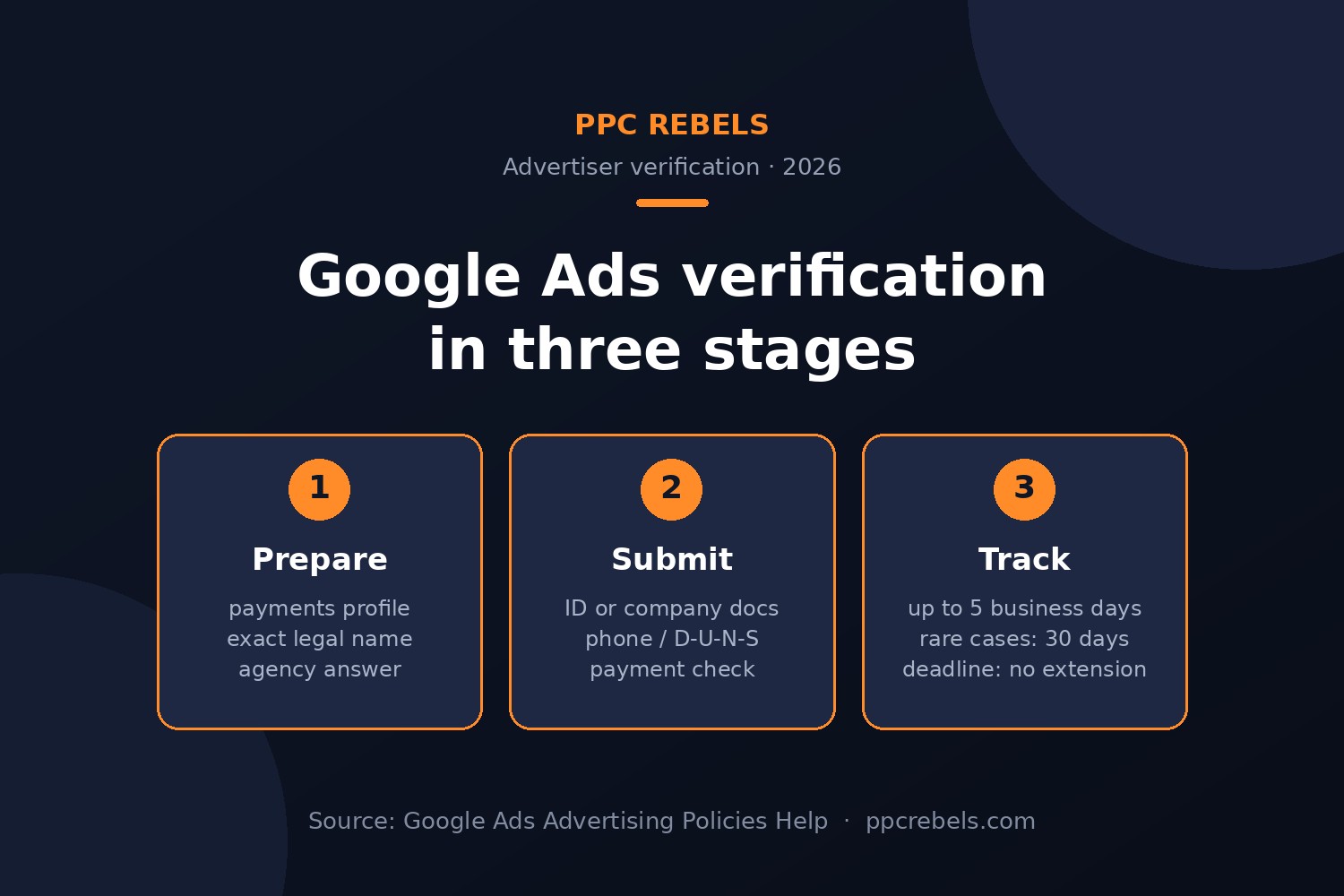
This part of the Google Ads verification guide is the setup we use with teams before they submit anything. Steps 1–3 are our own practice; steps 4–6 follow Google’s instructions.
- Audit the payments profile. First, check that the profile type (individual or organization) is correct. Changing it later adds work.
- Match names exactly. Next, compare the payments profile name and address with your ID or registration document letter by letter. Google requires an exact match. Remove domains, promotional words, emojis and phone numbers from the name.
- Collect documents. Then gather a valid ID or company registration document from Google’s list for your country. If you use a trade name (DBA), make sure it appears on the document.
- Open the tasks. In Google Ads, go to Admin, expand Policy and select Account. Click Start task.
- Answer the questions. Answer the organization questions truthfully, including the agency question.
- Submit and monitor. Finally, upload documents, confirm codes and watch the Account page and your email for updates.
Google Ads verification guide checklist
| Check | Why it matters |
|---|---|
| Profile type is right | Decides individual vs organization tasks |
| Name and address match documents | Mismatch is the most common rejection reason |
| Phone uses profile country code | Required for the phone task |
| Admin access on both levels | Only admins can complete tasks |
| Agency answer is correct | A wrong answer can pause the account |
| Website shows the same business | Consistency across ads, site and profile |
Google Ads verification timelines and deadlines
There are three situations, and any Google Ads verification guide should treat them differently.
- Deadline given. The account is paused if you miss it, and it can’t be extended. Start the same day, because review can take up to 5 business days.
- No deadline. Ads keep running. Verify when you are ready, ideally before you scale spend.
- Account paused. Ads run again only after verification is complete.
Because review time varies, plan launches around it. For example, avoid starting a big seasonal push while a task is still under review. If you need official contact forms, our list of Google Ads support links collects them in one place.
Industry rules on top of verification
Regulated industries need more than identity checks. For instance, financial services advertisers face country-specific programs; our article on financial services verification in the US and Canada covers the 2027 rollout. Gambling, healthcare, crypto and several other categories also require certification.
Common mistakes that cause rejections
- Name mismatch between the payments profile and documents.
- Wrong profile type, for example an individual profile for a company.
- Answering “No” to the agency question while managing client ads.
- Expired or unclear documents. Blurry scans and cropped corners slow review.
- Starting late when a deadline is already running.
- Inconsistent business details across the website, ads and profile.
Use this Google Ads verification guide as a pre-submit check. If a task fails, read the reason in the Account page, fix the specific issue and retry. Do not submit someone else’s documents. That violates Google’s Misrepresentation policy and can lead to suspension.
Verified accounts and agency accounts
Some teams prefer to start on an account where the verification and billing setup is already handled. That is the model of an agency account under an official MCC; see what a Google Ads agency account is. Before buying anything labelled “verified”, read our guide on what verified Google Ads accounts actually include. Moving an existing account between agencies has its own rules, covered in account transfer between agencies.
If you want hands-on help, PPC Rebels offers a Google Ads verification service for individuals and companies, plus agency account rental. The full list is on our services page. For account questions, message Alex on Telegram: @ppc_rebels_alex. We prepare documents and the setup with you; however, the decision always stays with Google, and no one can guarantee approval.
Case study (illustrative)
This example is illustrative. It shows the logic of the process, not a specific client’s result.
A small app studio ran Search campaigns from an individual payments profile opened by its founder. After expanding to three new countries, it received a verification notice with a deadline. Unfortunately, the first document upload failed. The reason was simple: the payments profile showed the studio’s brand name, while the ID showed the founder’s legal name.
Next, the team made two decisions. First, it registered the company profile properly and submitted the registration document with the exact legal name and address. Second, it answered the organization questions again and confirmed affiliation through the company email. The review took four business days. Meanwhile, the team paused planned budget increases, so nothing depended on the outcome. After approval, the disclosure in the Ads Transparency Center showed the company name, which matched the website footer.
The lesson matches the rest of this Google Ads verification guide: most delays come from inconsistent details, not from the documents themselves.
FAQ
It is Google’s identity program that confirms the legal name and location of the person or organization behind an account. After verification, this info appears in ad disclosures and the Ads Transparency Center.
In Google Ads, go to Admin, expand Policy and select Account. Then click Start task. Only an admin of the Google Ads account can complete the tasks.
Google says a task review can take up to 5 business days and, in rare cases, up to 30 days. If you have a deadline, start immediately.
No. Google states that the deadline can’t be extended. If you miss it, the account is paused until you complete verification.
Individuals submit a government-issued photo ID. Organizations submit registration documents or a matching D-U-N-S record. The name and location must exactly match the payments profile.
Not always. Verification can remove some limits and unlock features, but regulated industries still need separate certification, and every ad must follow Google Ads policies.
No. Using another person’s or company’s documents violates Google’s Misrepresentation policy. A service can help you prepare, but the documents must be yours.
Official sources
- Google Advertising Policies Help: Tasks required for Advertiser verification
- Timelines for Advertiser verification (Advertising Policies Help)
- Google Ads Transparency Center
- Google Ads Safety Report 2025
Run a service for advertisers or media buyers? See how to reach our readers on the advertisement page, and try our free Google Ads tools.