Ad Scheduling & Dayparting in Google Ads 2026: When to Spend, When to Stay Quiet
TL;DR: Dayparting controls when your ads show by hour and day of week. It does not replace smart bidding but sets its boundaries — boosting hours with cheap conversions and trimming dead windows. Base decisions on cost per conversion and ROAS over 2–4 weeks of data, not on clicks.
Dayparting means controlling when your ads show by hour of day and day of week. In 2026, smart bidding distributes budget on its own, yet the schedule is still a control lever: it keeps you from burning money in hours with no conversions and lets you lean into windows where leads are cheaper. Below is how to read the data, apply adjustments and validate results without hurting algorithm learning.
Why dayparting still matters with smart bidding
Automated strategies optimize bids in real time, but only within the budget and goals you set. If the account spends its daily budget in a couple of morning hours, you physically lose impressions during prime time. Ad schedules and time-based adjustments give the algorithm boundaries: where to be more present and where to save. It complements your bidding strategy, it does not replace it.
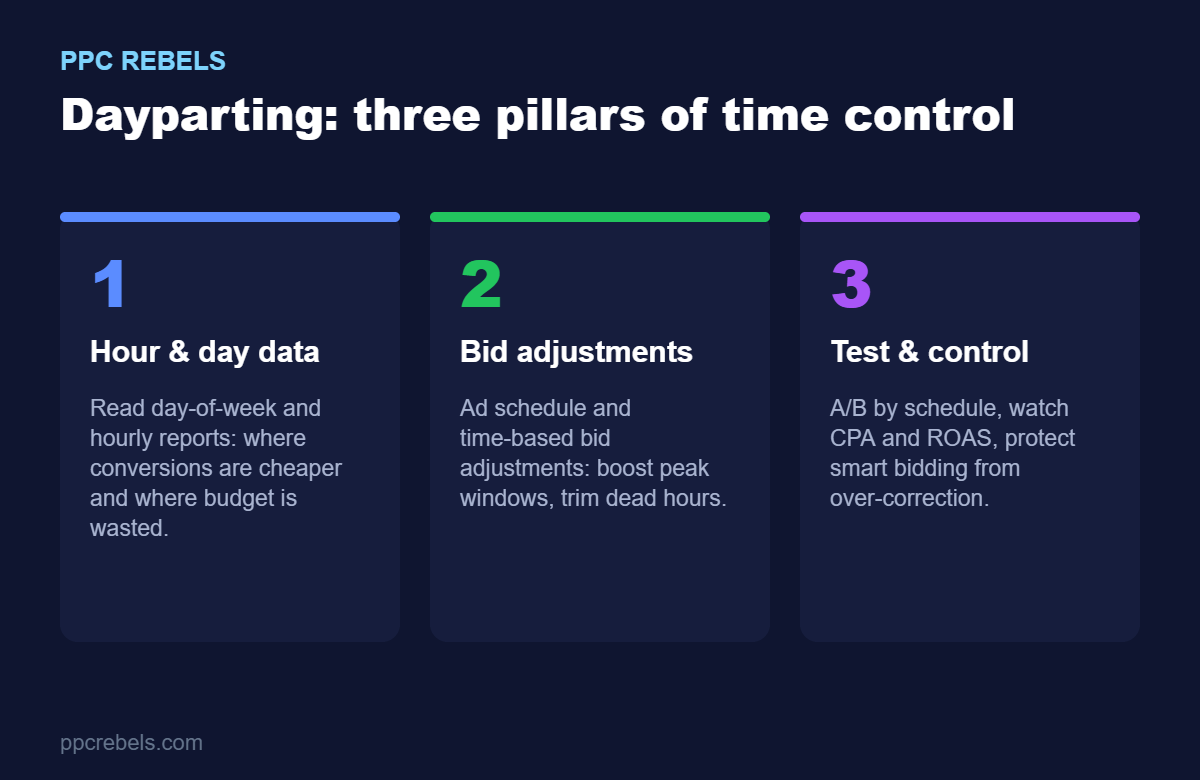
Three pillars of time control
1. Hour and day data
Start with the Ad Schedule report and the Day of week and Hour segments. Look at cost per conversion and ROAS by time, not clicks. Collect two to four weeks of data so you do not mistake noise for a pattern. If spend disappears too fast, read our guide on where the budget leaks in the first hour.
2. Time-based bid adjustments
On search campaigns with manual control, set schedule adjustments: raise peak windows and reduce activity in dead hours. On tCPA/tROAS direct adjustments are limited, so steer through the schedule, budgets and structure. Judge every window against real unit economics and LTV, not surface metrics.
3. Test and control
Any schedule change is a hypothesis. Change one parameter, give the algorithm one to two weeks to adapt, and compare periods by CPA/ROAS rather than clicks. Performance Max has no direct dayparting, but you shape the signal through budgets, feeds and audiences.
FAQ
Partly. Direct time adjustments are limited, but the ad schedule, budget allocation and campaign structure still influence when the algorithm chases conversions more aggressively.
Aim for two to four weeks and a meaningful number of conversions in each time slice. Decisions based on a few days are almost always premature.
Be careful: some night conversions can be cheaper than daytime ones. First lower activity and check the effect; only switch off completely when the economics are clearly negative.